
SCAPI Schemas
Commands for browsing and retrieving SCAPI (Salesforce Commerce API) schema specifications.
Global SCAPI Schemas Flags
These flags are available on all SCAPI Schemas commands.
Tenant Flags
| Flag | Environment Variable | Description |
|---|---|---|
--tenant-id | SFCC_TENANT_ID | (Required) Organization/tenant ID |
--short-code | SFCC_SHORTCODE | SCAPI short code |
Authentication Flags
| Flag | Environment Variable | Description |
|---|---|---|
--client-id | SFCC_CLIENT_ID | Client ID for OAuth |
--client-secret | SFCC_CLIENT_SECRET | Client Secret for OAuth |
--auth-scope | SFCC_OAUTH_SCOPES | OAuth scopes to request (comma-separated, repeatable) |
--auth-methods | SFCC_AUTH_METHODS | Allowed auth methods in priority order (client-credentials, jwt, user, implicit, basic, api-key) |
--user-auth | Use browser-based user authentication (Authorization Code + PKCE flow) | |
--account-manager-host | SFCC_ACCOUNT_MANAGER_HOST | Account Manager hostname for OAuth (default: account.demandware.com) |
--jwt-cert | SFCC_JWT_CERT | Path to JWT certificate file (cert.pem) for JWT Bearer authentication |
--jwt-key | SFCC_JWT_KEY | Path to JWT private key file (key.pem) for JWT Bearer authentication |
--jwt-passphrase | SFCC_JWT_PASSPHRASE | Passphrase for encrypted JWT private key |
Common Flags
| Flag | Environment Variable | Description |
|---|---|---|
--config | SFCC_CONFIG | Path to config file (in dw.json format; defaults to ./dw.json) |
-i, --instance | SFCC_INSTANCE | Instance name from configuration file (e.g. dw.json) |
--project-directory | SFCC_PROJECT_DIRECTORY | Project directory |
-L, --lang | Language for messages (e.g., en, de). Also respects LANGUAGE env var | |
--log-level | SFCC_LOG_LEVEL | Set logging verbosity (trace, debug, info, warn, error, silent) |
-D, --debug | SFCC_DEBUG | Enable debug logging (shorthand for --log-level debug) |
--extra-query | SFCC_EXTRA_QUERY | Extra query parameters as JSON (e.g., '{"debug":"true"}') |
--extra-body | SFCC_EXTRA_BODY | Extra body fields to merge as JSON (e.g., '{"_internal":true}') |
--extra-headers | SFCC_EXTRA_HEADERS | Extra HTTP headers as JSON (e.g., '{"X-Custom-Header": "value"}') |
Output Flags
| Flag | Environment Variable | Description |
|---|---|---|
--json | Output result as JSON | |
--jsonl | SFCC_JSON_LOGS | Output log messages as JSON lines |
Authentication
SCAPI Schemas commands require an Account Manager API Client with OAuth credentials.
Required Scopes
The following scopes are automatically requested by the CLI:
| Scope | Description |
|---|---|
sfcc.scapi-schemas | Access to SCAPI Schemas API |
SALESFORCE_COMMERCE_API:<tenant_id> | Tenant-specific access scope |
Configuration
# Set credentials via environment variables
export SFCC_CLIENT_ID=my-client
export SFCC_CLIENT_SECRET=my-secret
export SFCC_TENANT_ID=zzxy_prd
export SFCC_SHORTCODE=kv7kzm78

# Or provide via flags
b2c scapi schemas list --client-id xxx --client-secret xxx --tenant-id zzxy_prd
For complete setup instructions, see the Authentication Guide.
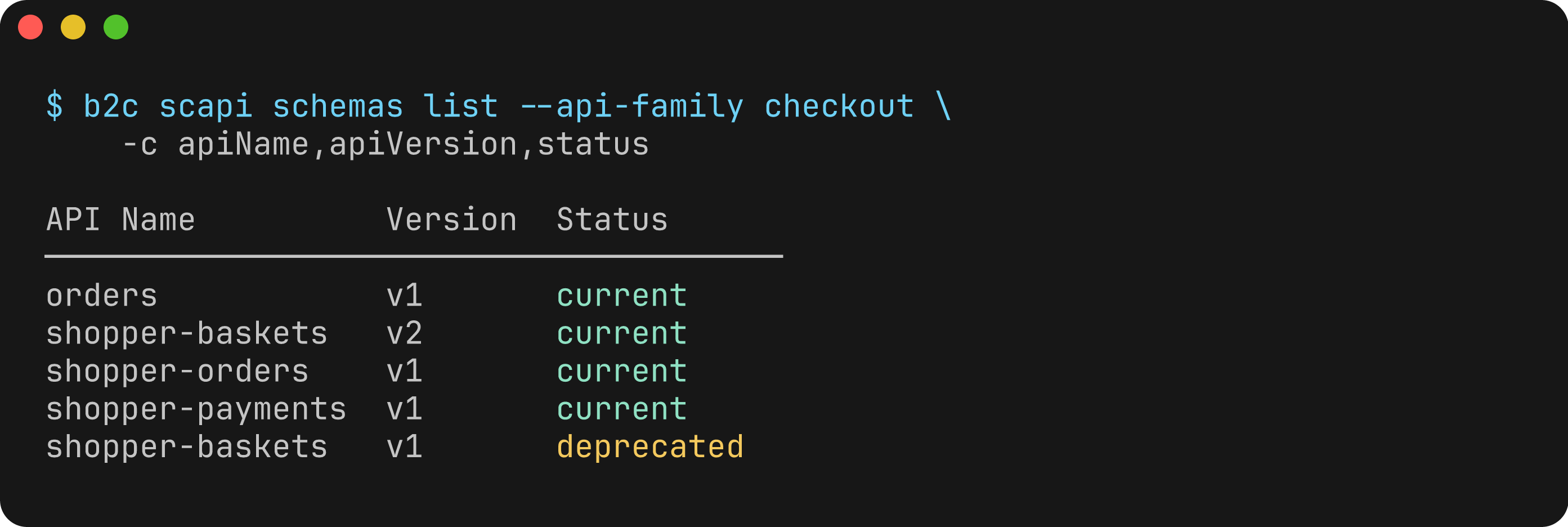
b2c scapi schemas list
List available SCAPI schemas with optional filtering.
Usage
b2c scapi schemas list --tenant-id <TENANT_ID>Flags
| Flag | Description | Default |
|---|---|---|
--tenant-id | (Required) Organization/tenant ID | |
--api-family | Filter by API family (e.g., product, checkout, search) | |
--api-name | Filter by API name (e.g., shopper-products, shopper-baskets) | |
--api-version | Filter by API version (e.g., v1) | |
--status, -s | Filter by schema status (current, deprecated) | |
--columns, -c | Columns to display (comma-separated) | |
--extended, -x | Show all columns including extended fields | false |
--json | Output results as JSON | false |
Available Columns
Default columns: apiFamily, apiName, apiVersion, status
Extended columns (shown with --extended): schemaVersion, link
Examples
# List all available SCAPI schemas
b2c scapi schemas list --tenant-id zzxy_prd

# Filter by API family
b2c scapi schemas list --tenant-id zzxy_prd --api-family product

# Filter by API name
b2c scapi schemas list --tenant-id zzxy_prd --api-name shopper-products

# Filter by status
b2c scapi schemas list --tenant-id zzxy_prd --status current
b2c scapi schemas list --tenant-id zzxy_prd --status deprecated

# Show extended columns
b2c scapi schemas list --tenant-id zzxy_prd --extended

# Output as JSON
b2c scapi schemas list --tenant-id zzxy_prd --json
Output
Default table output:
Found 15 schema(s):

API Family  API Name          Version  Status
───────────────────────────────────────────────
product     shopper-products  v1       current
checkout    shopper-baskets   v2       current
search      shopper-search    v1       current
customer    shopper-customers v1       current
...
b2c scapi schemas get
Get a specific SCAPI schema with optional selective expansion.
Usage
b2c scapi schemas get <apiFamily> <apiName> <apiVersion> --tenant-id <TENANT_ID>Arguments
| Argument | Description |
|---|---|
apiFamily | API family (e.g., product, checkout, search) |
apiName | API name (e.g., shopper-products, shopper-baskets) |
apiVersion | API version (e.g., v1) |
Flags
| Flag | Description | Default |
|---|---|---|
--tenant-id | (Required) Organization/tenant ID | |
--expand-paths | Paths to fully expand (comma-separated) | |
--expand-schemas | Schema names to fully expand (comma-separated) | |
--expand-examples | Example names to fully expand (comma-separated) | |
--expand-custom-properties | Expand custom properties (boolean — use --no-expand-custom-properties to disable) | true |
--expand-all | Return full schema without collapsing | false |
--list-paths | List available paths and exit | false |
--list-schemas | List available schema names and exit | false |
--list-examples | List available example names and exit | false |
--yaml | Output as YAML instead of JSON | false |
--json | Output wrapped JSON with metadata | false |
Schema Collapsing
By default, schemas are output in a collapsed/outline format optimized for context efficiency (ideal for agentic use cases and LLM consumption):
- Paths: Show only HTTP methods available:
{"/products": ["get"], "/products/{id}": ["get"]} - Schemas: Show only schema names:
{"Product": {}, "ProductResult": {}} - Examples: Show only example names:
{"product-example": {}}
Use the --expand-* flags for selective expansion or --expand-all for the full, unmodified schema.
Examples
# Get collapsed/outline schema (default - context efficient)
b2c scapi schemas get product shopper-products v1 --tenant-id zzxy_prd

# Get full schema without collapsing
b2c scapi schemas get product shopper-products v1 --tenant-id zzxy_prd --expand-all

# Expand specific paths only
b2c scapi schemas get product shopper-products v1 --tenant-id zzxy_prd --expand-paths /products,/products/{productId}

# Expand specific schemas only
b2c scapi schemas get product shopper-products v1 --tenant-id zzxy_prd --expand-schemas Product,ProductResult

# Expand specific examples only
b2c scapi schemas get product shopper-products v1 --tenant-id zzxy_prd --expand-examples product-example

# Combine selective expansions
b2c scapi schemas get product shopper-products v1 --tenant-id zzxy_prd --expand-paths /products --expand-schemas Product

# List available paths in the schema
b2c scapi schemas get product shopper-products v1 --tenant-id zzxy_prd --list-paths

# List available schema names
b2c scapi schemas get product shopper-products v1 --tenant-id zzxy_prd --list-schemas

# List available examples
b2c scapi schemas get product shopper-products v1 --tenant-id zzxy_prd --list-examples

# Output as YAML
b2c scapi schemas get product shopper-products v1 --tenant-id zzxy_prd --yaml

# Output wrapped JSON with metadata
b2c scapi schemas get product shopper-products v1 --tenant-id zzxy_prd --json

# Disable custom properties expansion
b2c scapi schemas get product shopper-products v1 --tenant-id zzxy_prd --no-expand-custom-properties
Output Formats
Default (raw JSON to stdout): The schema is output directly to stdout as JSON. Use shell redirection to save to a file:
b2c scapi schemas get product shopper-products v1 --tenant-id zzxy_prd > schema.jsonYAML format (--yaml): Output as YAML for readability:
b2c scapi schemas get product shopper-products v1 --tenant-id zzxy_prd --yaml > schema.yamlWrapped JSON (--json): Output includes metadata wrapper:
{
  "apiFamily": "product",
  "apiName": "shopper-products",
  "apiVersion": "v1",
  "schema": { ... }
}
Notes
- The collapsed output significantly reduces context size while preserving structure, making it ideal for AI/LLM consumption
- Use
--list-pathsto discover available paths before using--expand-paths - Use
--list-schemasto discover available schema names before using--expand-schemas - Custom properties expansion is enabled by default and fetches tenant-specific custom attributes