
MCP Tools
Use B2C Commerce documentation, deployment, debugging, and API tools from your assistant. The plugin installation includes all toolsets; connected capabilities use your existing B2C configuration.
These tables list tool names for reference and for your client's tool controls. Optional toolset customization is covered at the end of this page.
Documentation and skills
Find answers across Salesforce B2C Commerce references and guides from your assistant.
Look up Script API behavior, storefront patterns, API setup, standard job steps, and XML import/export formats. Salesforce Help adds Business Manager guidance for administrators and merchants: jobs, replication, access, catalogs, pricing, promotions, search, and content. Ask for an explanation applied to your task and links to the source documentation.
Included in every toolset. No B2C Commerce credentials required.
| Tool | Capability |
|---|---|
skills_read | Find development, operations, CLI, Storefront Next, and MCP workflow skills. |
docs_search | Find platform references, guides, Salesforce Help, and tooling docs. |
docs_read | Read a documentation article. |
docs_list | Browse documentation categories and titles. |
docs_schema_search | Find XML import/export schemas. |
docs_schema_read | Read an XML schema. |
docs_schema_list | List available XML schemas. |
The included skill collections complement documentation with development patterns and operational workflows. No separate skills installation is needed.
Check this catalog import XML against the B2C Commerce schema and documented import behavior. Explain what would be replaced or preserved before I run the import, and link to the references.
Documentation search is also available through the B2C CLI. See documentation topic settings to customize coverage.
Deployment
| Tool | Capability | Toolsets |
|---|---|---|
cartridge_deploy | Upload cartridges or selected files to a code version; optionally activate/reload it. | CARTRIDGES |
mrt_bundle_push | Publish a pre-built storefront bundle; optionally deploy it. | MRT, PWAV3, STOREFRONTNEXT |
Cartridges require WebDAV write access. Code-version discovery and reload use SCAPI (sfcc.scripts / sfcc.scripts.rw) with OCAPI compatibility where available. Check deployment permissions before connecting.
Managed Runtime
Bundle publishing requires an MRT API key and project, plus an environment when deploying.
Instance files
Browse instance directories, read exact job logs, and upload or download files without installing the CLI separately. Upload text directly or transfer files from the machine running the MCP server.
| Tool | Capability | Toolsets |
|---|---|---|
webdav_list | List a directory with file sizes and modification dates. | CARTRIDGES, DIAGNOSTICS, SCAPI |
webdav_get | Read part of a text file or download a whole file. | CARTRIDGES, DIAGNOSTICS, SCAPI |
webdav_put | Upload text or a local file; replace existing files only when requested. | CARTRIDGES, SCAPI |
Requires WebDAV access to the selected directory. Whole-file transfers are limited to 64 MiB. Upload folders must already exist; local downloads require a new filename. Selected cartridge uploads support up to 100 files / 64 MiB total. See file access.
Download the log for this failed job execution and identify the first error. Don't rerun the job.
Debugging
Let your assistant investigate what happens inside a running cartridge. It can pause at a breakpoint, inspect the call stack and variable values, and step through controllers, hooks, jobs, and custom API code to explain unexpected behavior.
Available in DIAGNOSTICS, CARTRIDGES, and SCAPI. Requires a Business Manager user or access key with WebDAV_Manage_Customization; OAuth is unsupported.
| Tool | Capability |
|---|---|
debug_start_session | Connect the debugger and map local cartridge sources. |
debug_end_session | Disconnect and release the debugger slot. |
debug_list_sessions | Find active sessions, breakpoints, and paused threads. |
debug_set_breakpoints | Set or clear breakpoints. |
debug_wait_for_stop | Wait for execution to pause. |
debug_control | Continue execution or step into, over, or out of a function. |
debug_inspect | Inspect stacks, frame variables, and object members. |
debug_evaluate | Evaluate JavaScript in a paused frame. |
debug_capture_at_breakpoint | Capture debugger state at a selected line. |
Breakpoints pause requests; evaluation can change application state. Use a sandbox and end sessions when finished. See debugger access.
Pause at this line in my sandbox while I reproduce the request. Show which branch ran and the relevant variable values, then resume and disconnect. Don't modify the code.
See debugging with an assistant or IDE.
Logs
| Tool | Capability | Toolsets |
|---|---|---|
logs_list_files | Browse instance log files. | DIAGNOSTICS, CARTRIDGES, SCAPI |
logs_get_recent | Read and filter recent instance logs. | DIAGNOSTICS, CARTRIDGES, SCAPI |
logs_watch | Start, list, or stop instance log watches. | DIAGNOSTICS, CARTRIDGES, SCAPI |
logs_watch_poll | Retrieve entries from an instance log watch. | DIAGNOSTICS, CARTRIDGES, SCAPI |
mrt_logs_watch | Start, list, or stop live MRT log streams. | DIAGNOSTICS, PWAV3, STOREFRONTNEXT |
mrt_logs_watch_poll | Retrieve entries from an MRT log stream. | DIAGNOSTICS, PWAV3, STOREFRONTNEXT |
Instance logs require WebDAV log-read access. MRT logs require an API key, project, and environment; historical MRT logs are not available. Logs may contain sensitive data; see data handling.
Watch my sandbox error logs while I reproduce this issue. Summarize new errors and include the timestamps.
SCAPI development
Available in SCAPI, PWAV3, and STOREFRONTNEXT. Requires OAuth, the instance short code, and tenant ID. See authentication and scopes.
| Tool | Capability | OAuth scope |
|---|---|---|
scapi_schemas_list | Browse and read standard and custom API schemas. | sfcc.scapi-schemas |
scapi_custom_apis_get_status | Check custom endpoint registration. | sfcc.custom-apis |
B2C Commerce data and operations
Explore nearly 600 Salesforce Commerce API operations and work with your instance's data.
Explore products, catalogs, orders, customers, inventory, pricing, and more. SCAPI code mode lets your assistant work across APIs in a single task: create a product and assign it to a category, review a campaign's promotions, or investigate failed jobs. Describe the outcome you want in your own words.
Available in SCAPI, PWAV3, and STOREFRONTNEXT.
| Tool | Capability |
|---|---|
scapi_search | Find Admin and Shopper API operations and their requirements. |
scapi_execute | Read and manage B2C Commerce data through standard and custom Admin APIs. |
scapi_snippet_save | Save a workflow for reuse across sessions. |
The standard API reference works offline without credentials. Working with your instance's data requires OAuth credentials and scopes for the requested operations. Your account permissions and configured Safety Mode control access, including creating, updating, and deleting records.
Custom attributes and custom Admin APIs are supported. Discovering your instance's custom definitions requires the sfcc.scapi-schemas scope; custom APIs also require their declared scopes. See code mode access.
Current limits: Shopper APIs are available for reference only. Code mode does not yet run Shopper API requests or upload and download binary files.
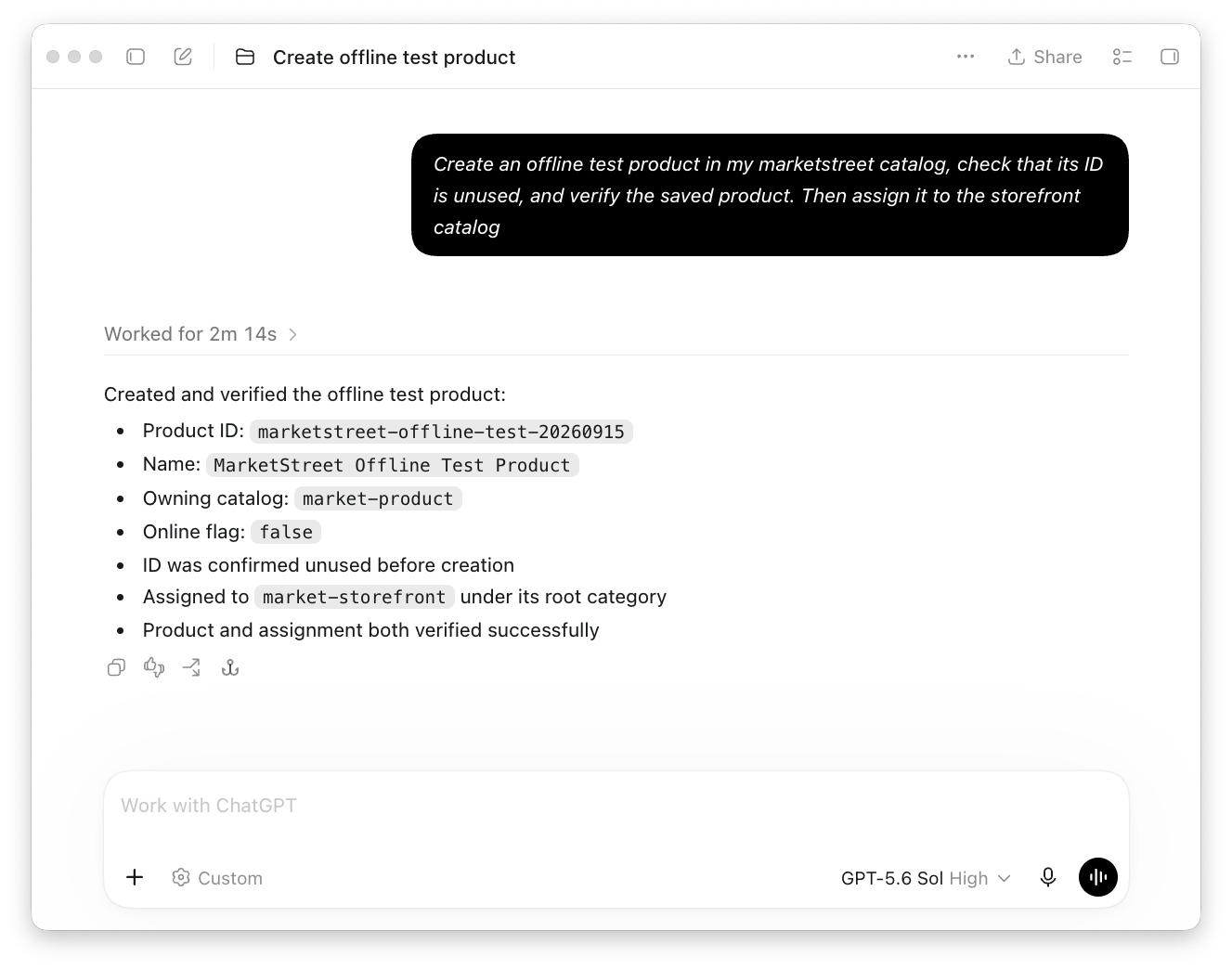
Create an offline test product in my catalog, check that its ID is unused, and verify the saved product.
Ready-to-use workflows cover product creation and category assignment, campaign reviews, job history and step inspection, code-version checks, and site cartridge path checks. Products created with the built-in workflow start offline unless you request otherwise.
Show failed job executions from the past week. Summarize the first three failures and tell me whether there are more to investigate.
Summarize the promotions attached to this campaign, including enabled status and schedules.
Ask your assistant to save a useful workflow so you can repeat it for other products, campaigns, or dates. Saved workflows remain available across sessions and use the credentials and safety settings of the project where you run them.
Observability metrics (closed beta)
metrics_get reads B2C Commerce metrics. Available in SCAPI; requires tenant access to the Metrics API closed beta and OAuth scope sfcc.metrics.
Analytics reports
Turn B2C Commerce analytics into answers for your site.
Compare sales and average order value, find searches with no results, review promotions and payment methods, or identify slow and failing APIs. CIP/CCAC reports give your assistant a starting point; custom analysis supports questions that go beyond them. No separate CLI or SQL client is needed.
Which SCAPI endpoints had the highest 5xx error rates last week? Include request volume so I can distinguish recurring problems from isolated failures.
| Tool | Capability |
|---|---|
cip_discover | Find reports, inspect their inputs and SQL, or browse available tables and columns. |
cip_query | Run sales, merchandising, and technical reports or custom SQL analyses. |
Available in CIP, included in the default installation. Requires Account Manager client credentials and the Salesforce Commerce API role for the selected tenant. Production and non-production availability, host selection, and setup are covered in the analytics guide.
Results contain up to 500 rows and may be limited further by response size. Use CLI exports for larger local datasets. Keep queries focused on a chosen period; long-running analyses may time out. Analytics can lag storefront activity; use logs or live APIs for immediate state. See analytics access.
Configuration inspection
| Tool | Capability | Toolsets |
|---|---|---|
config_inspect | Check resolved configuration and targets; secrets are masked by default. | DIAGNOSTICS, CIP |
Toolsets for customization
| Toolset | Capabilities |
|---|---|
CARTRIDGES | Cartridge deployment and instance diagnostics. |
DIAGNOSTICS | Debugging, instance/MRT logs, and configuration inspection. |
MRT | Managed Runtime bundle publishing and deployment. |
PWAV3 | Shared MRT and SCAPI tools for PWA Kit projects. |
SCAPI | API development, instance diagnostics, and optional metrics. |
STOREFRONTNEXT | Shared MRT and SCAPI tools for Storefront Next projects. |
CIP | Analytics report discovery, warehouse metadata, and SQL queries. |
Skills and documentation are included in every toolset. Shared tools appear once.